GDPR: A Modern Framework for Data Privacy and Design Communication
The General Data Protection Regulation, or GDPR, is more than a legal requirement for businesses operating in or serving the European Union. It represents a fundamental shift in how personal data is valued, handled, and protected. Since its enforcement in 2018, GDPR has reshaped the digital landscape, establishing a new baseline for user privacy and corporate accountability. Its relevance extends globally, as it influences international data practices and inspires similar legislation in other regions.
The Visual Language of Compliance
As GDPR principles become embedded in workflows, the need to communicate them clearly has grown. Users are more aware of their data rights and expect transparency from apps and websites. This is where design elements, like specifically crafted icons, play a crucial role. Visual symbols can instantly convey concepts like data consent, privacy settings, or data deletion, making complex legal frameworks more accessible. Integrating GDPR relative icons into interfaces helps bridge the gap between regulatory requirements and user understanding.
These icons serve as a universal shorthand. For instance, a simple, clear icon representing a "Privacy Policy" or "Data Processing" can guide a user more intuitively than text alone. This fits directly into current trends favoring user-centric design and enhanced digital literacy. Modern users skim and scan; a well-placed icon can capture attention and convey intent within the crowded visual space of a mobile app or website template.
Integrating GDPR Icons into Creative and Professional Work
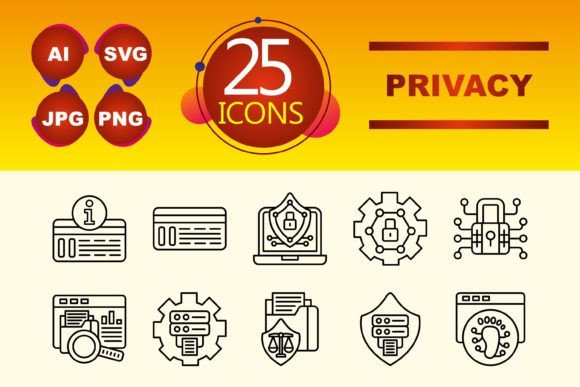
For creators, entrepreneurs, and professionals, visual resources that simplify compliance communication are invaluable. A set of GDPR relative icons, designed in a clean Line Icon style, offers immediate utility. The line style, characterized by its minimalist and elegant outlines, ensures icons remain legible and professional across various applications without overwhelming the design.
Consider the practical implications. A marketer building a campaign landing page that collects user data needs to include clear consent mechanisms. Using a recognizable "Agreement" or "Consent" icon next to a checkbox can improve clarity and trust. A blogger discussing privacy topics can use these icons in infographics to break down GDPR rights for their audience. An educator preparing a presentation on data law can employ these visuals to make the material more engaging and memorable.
Key Features and File Format Flexibility
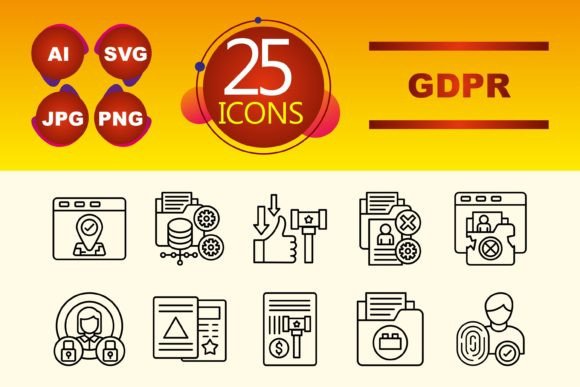
A focused set of 10 icons covering core GDPR concepts provides essential coverage without bloat. The included file types—AI, JPG, PNG, and SVG—address the diverse needs of modern creative and technical workflows. The vector-based AI and SVG formats allow for infinite scaling and editing in design software like Adobe Illustrator, perfect for customizing icons for a specific brand's color scheme or integrating them into complex website templates. The PNG and JPG raster files offer ready-to-use assets for quick placement in presentations, documents, or simpler web projects.
This versatility means a freelance web developer can embed scalable SVG icons into a client's privacy dashboard, while a business owner can use PNGs in a internal training slide deck. The availability of multiple formats removes technical barriers, enabling seamless adoption across different tools and skill levels.
Why Attention to GDPR Design is Increasing
The evolution of GDPR from a legal text to a design consideration reflects its maturation. Initially, compliance was often a behind-the-scenes, legal-team endeavor. Now, it's a front-facing, user-experience priority. Businesses realize that transparent data practices are a competitive advantage and a trust signal. As user expectations rise, simply having a compliant policy isn't enough; you must communicate it effectively.
This is coupled with broader lifestyle shifts towards digital consciousness. People are more cautious about what they share online and more proactive in managing their digital footprints. Apps and services that visually acknowledge this concern—through clear privacy icons and settings—align with these changing user habits. They demonstrate respect for the user's time and autonomy.
Realistic Applications and Recommendations
For a mobile app developer, placing a streamlined "Data Settings" icon in the app's menu directly addresses GDPR's right to access and control. For a SaaS company, using a "Data Portability" icon in its export feature section visually reinforces a specific GDPR right. The recommendation is to use these icons contextually and consistently, not as decorative elements but as functional signposts that guide users to important privacy controls and information.
Avoid using them generically or without clear association to the corresponding text or function. Their power lies in reinforcement. For example, an icon representing "Deletion" should be placed next or near the button or section where a user can request data erasure, creating a immediate visual-verbal link.
Building Trust Through Clear Visual Communication
Ultimately, the adoption of dedicated GDPR icons is part of a larger movement towards ethical and transparent design. It signals that a business or creator is taking data privacy seriously and is investing in the user's understanding. In a digital environment often criticized for opacity, these small visual cues can contribute significantly to building user trust.
Whether you are designing a new website template, preparing a client presentation on compliance, or creating an educational infographic, having a cohesive set of GDPR relative icons simplifies the task. It allows you to focus on your core message while ensuring the critical aspects of data protection are communicated with clarity and professional consistency. As GDPR continues to shape global data norms, the tools to visualize its principles will remain essential components of responsible and user-friendly design.