The Digital Toolkit for Modern Manufacturing
Manufacturing is the backbone of the physical world. It's the process of transforming raw materials, components, or ideas into finished goods, ranging from the smartphone in your hand to the car you drive. While we often picture massive factories and assembly lines, the concept of manufacturing extends into digital spaces as well, where we "manufacture" presentations, user interfaces, and data visualizations that communicate complex industrial processes.
When a Manufacturing Icon Set Becomes Your Secret Weapon
You might not be running a CNC machine, but you're likely communicating about manufacturing every day. This is where a dedicated set of manufacturing icons shifts from being a simple graphic asset to a practical communication tool. Imagine you're a UX designer tasked with creating an app for factory floor supervisors. Using generic "settings" or "gear" icons won't clearly convey functions like "quality inspection," "supply chain logistics," or "machine calibration." A specific manufacturing icon set provides immediate visual clarity, making the interface intuitive for its specialized audience.
Scenarios Across Industries and Roles
The utility of these icons spans far beyond factory software. Consider a financial analyst preparing a presentation for investors on a manufacturing company's performance. Slides filled with dense text and tables are hard to digest. Strategically placing icons for "production output," "inventory," or "assembly" next to key metrics creates a memorable visual narrative that highlights operational strengths. Similarly, a marketing professional designing a website for an industrial equipment supplier needs visuals that resonate with engineers and procurement managers. Line icons depicting specific machinery or processes—like conveyor belts or robotic arms—signal industry expertise and understanding faster than any paragraph of text.
For educators and trainers in vocational schools or corporate learning environments, these icons serve as essential teaching aids. Flowcharts explaining supply chain stages or infographics breaking down lean manufacturing principles become more accessible when each step is anchored by a clean, recognizable symbol. The abstraction of a line icon often helps learners focus on the concept rather than a photorealistic, potentially distracting image.
Audiences and Their Unique Benefits
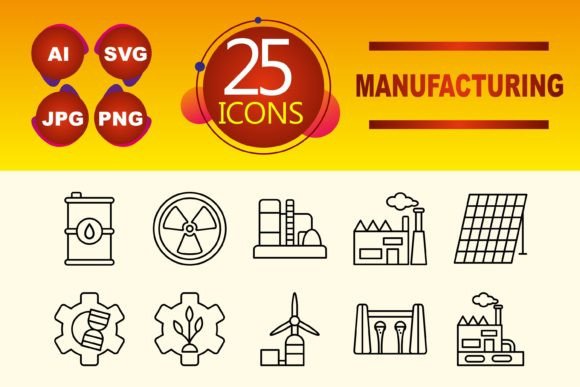
Different users extract different values from the same set of ten line icons. A mobile app developer benefits from the small file sizes and scalability of the SVG and PNG formats, ensuring crisp graphics on any screen without bloating the app. The clean line style aligns perfectly with modern, minimalist UI design trends.
A freelance consultant creating proposal documents or case study reports values the professional coherence the set provides. Using a unified visual language across all client materials, from JPG images in printed proposals to SVG graphics in interactive PDFs, builds a brand of consistency and attention to detail. The included AI (Adobe Illustrator) file is a goldmine for a graphic designer who needs to customize colors, tweak line weights, or integrate an icon into a larger, complex illustration for a trade show banner or brochure. This flexibility allows for brand alignment without having to redraw assets from scratch.
Perhaps the most overlooked beneficiary is the in-house non-designer—the project manager, operations lead, or internal communicator. These individuals often need to create effective presentations or internal dashboards quickly, without deep design skills. A ready-made, coherent set of manufacturing icons acts as a plug-and-play visual library. They can drag-and-drop PNGs into PowerPoint or Keynote to instantly elevate a monthly operational review, making data more engaging for their team.
Practical Considerations Before You Use Them
While a ten-icon line set is versatile, its application requires some forethought. First, assess the visual density of your project. Line icons, by their nature, are lightweight and detail-oriented. They work excellently in clean, spacious layouts but might get lost or feel too sparse in a very dense, complex infographic that requires more solid, filled shapes. Consider the overall style of your website, app, or template.
Second, understand the semantic reach of the icons. A set with ten icons will cover core concepts—think "factory," "transport," "quality," "robot," "tool," "package," "safety," "gear," "measure," and "energy." It won't cover every niche sub-process in every industry. Your use case must align with this generalist-but-specialized scope. If you need an icon for a specific type of chemical reactor or 3D printing technique, you may need to supplement the set.
Finally, plan for file type deployment. The inclusion of AI, JPG, PNG, and SVG is a strength, but each format has a home. Use SVG for websites and apps where scalability and performance are key. Use PNG for presentations, documents, and situations where transparency might be needed. JPG can serve for static, non-transparent backgrounds. The AI file is your source for major edits, but requires vector editing software. Ensuring you have the right format for your specific medium avoids quality issues and rework.
Strengths and Natural Limitations
The primary strength of a focused manufacturing icon set is instant industry recognition. It bypasses vague symbolism and speaks directly to an audience familiar with industrial and production environments. This builds trust and reduces cognitive load for the user. The line icon style offers a secondary strength: timeless versatility. It avoids the stylistic trends that can date filled-color or overly detailed icons, making the assets usable across years of project updates.
A potential limitation is the necessity of context. A lone "conveyor belt" icon might not be universally understood outside a manufacturing context. Therefore, these icons often perform best when paired with a label, integrated into a labeled diagram, or used in an environment where the overall theme (like a manufacturing software dashboard) is already established. They are superb clarifying elements but can be ambiguous as standalone, isolated graphics for a completely general audience.
Another consideration is color dependency. Line icons are typically mono-color. This makes them incredibly easy to color-match to any brand palette by simply changing the stroke color in the SVG or AI file. However, if your design requires multi-color icons within a single symbol to denote different states or parts, the line style might not be suitable without significant modification.
In practice, observing how these icons function reveals their true value. A logistics company's website uses the "package" and "transport" icons not just as decoration, but as visual anchors for their service description sections, guiding the user's eye and breaking up text. An operations manager embedding the "measure" and "quality" icons into a live production dashboard on the factory floor uses them as quick-status indicators—the icon itself becomes a familiar reference point for workers glancing at the screen.
Choosing to integrate a manufacturing icon set is less about graphic design and more about choosing a language. It's a decision to communicate with precision, to respect the expertise of your audience, and to build interfaces and documents that function with the efficiency that the manufacturing sector itself strives for. Whether your final product is a mobile app, a website template, or a presentation slide deck, these ten simple lines can become the most articulate elements in your toolkit.