The Essential Value of Map and Navigation Icons in Digital Design
In an increasingly visual digital landscape, clarity and immediate comprehension are paramount. For designers, developers, and content creators, the challenge often lies in communicating complex ideas or functions with simplicity and speed. This is where the strategic use of iconography becomes indispensable. A focused set of Map and Navigation icons serves as a foundational toolkit, translating abstract concepts like direction, location, and journey into universally understood visual symbols.
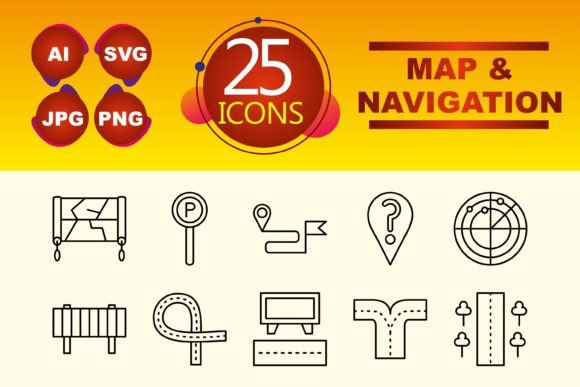
Consider a user landing on a new website for a logistics service. Their primary goal is to understand how to track a shipment or find a depot. A well-designed pin or route icon next to the relevant text instantly telegraphs the function, reducing cognitive load and guiding the user intuitively. This set of ten line-style icons addresses this core need directly, offering a curated vocabulary for digital projects centered around geographical data, travel, or directional interfaces.
Beyond Decoration: Icons as Functional Communication Tools
Map and Navigation icons are not merely decorative elements. They are silent guides within a user interface. When integrated thoughtfully, they perform several critical roles. They accelerate user navigation, helping visitors find features faster. They enhance information hierarchy, making complex layouts or data sets, like an interactive map dashboard, more scannable. They also strengthen brand consistency; using a cohesive set of line icons across a mobile app, website template, and accompanying presentation creates a professional, unified experience.
The specific format versatility of this set—including AI, SVG, PNG, and JPG files—is a practical benefit often overlooked. An SVG file, for example, is scalable and perfect for responsive web design, ensuring that your navigation icon remains crisp on any screen size. The AI source file allows a designer to customize colors or tweak paths to match an exact brand palette, while PNGs offer ready-to-use transparency for overlays in infographics or presentation slides.
Practical Applications Across Projects and Professions
Who benefits from a dedicated Map and Navigation icon set? The range is surprisingly broad. A freelance web designer building a site for a local tour company can quickly implement icons for “Meeting Point,” “Tour Route,” and “Schedule” without commissioning custom graphics, saving both time and client budget. A marketer crafting an email campaign for a new store location can use a simple pin icon in the header to visually anchor the message’s core offer.
For educators or bloggers creating content about urban planning or travel tips, these icons can transform a dense article into a more engaging, visual piece. Embedding a small “compass” icon to denote a section about orientation, or using “direction arrows” in a step-by-step guide, breaks up text and aids memory. Similarly, a small business owner putting together a straightforward “How to Find Us” page on their website gains a professional visual asset that communicates more effectively than text alone.
Enhancing User Experience in Mobile and Web Interfaces
In mobile app design, screen real estate is precious. Clear Map and Navigation icons can replace lengthy labels, creating cleaner interfaces. A “search location” magnifying glass icon or a “save destination” bookmark icon within a mapping app uses minimal space while maintaining perfect functionality. This efficiency directly translates to a smoother user experience, reducing friction and potential frustration.
The line icon style offered in this set is particularly suited for modern, clean interfaces. Line icons tend to be less visually dominant than filled icons, allowing them to integrate seamlessly into existing designs without overpowering other content. This makes them an excellent choice for templates where the designer or end-user needs to maintain a balanced aesthetic.
Supporting Creativity and Streamlining Workflow
For the creative professional, a ready-made set solves a common bottleneck. Instead of interrupting the flow of designing a website template or presentation to sketch a basic “map” symbol, you can import a pre-made, quality-assured icon. This supports creative momentum, allowing you to focus on the larger layout, user journey, or narrative structure of your project. The ten icons cover common needs—like pins, arrows, globes, and vehicles—providing a solid foundation you can build upon.
It’s important, however, to consider fit. While a set of ten line icons provides excellent coverage for core concepts, a project requiring highly specialized cartographic symbols—like specific trail markers or unique transportation modes—might need supplemental assets. This set is a powerful starting point and solution for most common map and navigation visual requirements, but evaluating the specific scope of your project is always recommended.
Strengthening Presentations and Infographics with Visual Anchors
In persuasive communication, such as business presentations or public infographics, visual cues guide the audience’s attention and reinforce key points. A slide discussing global market expansion can be made more memorable with subtle globe or location icons next to each region’s data. An infographic about public transit usage can use consistent bus, train, and arrow icons to create a logical, easy-to-follow flow of information. This use transforms data into a story, making your communication not only clearer but also more compelling.
A Tool for Clearer Thinking and Simplified Decisions
Ultimately, effective visual communication aids not just the end-user, but also the creator’s thought process. Defining which Map and Navigation icon to use for a specific function forces a clarification of purpose. Is this button for “setting a destination” or “viewing a route”? Choosing the appropriate icon requires and reinforces a clear understanding of the feature you’re designing. This subtle discipline leads to more intentional and user-centric design outcomes.
By offering multiple file types, this set also simplifies technical decisions. Developers can use the SVG for a dynamic web application, while a presentation designer can drop a PNG into their slides effortlessly. This flexibility removes a layer of technical friction, making the assets genuinely usable across the multidisciplinary teams often involved in digital projects today.
In conclusion, the integration of a purposeful Map and Navigation icon set is a strategic design choice with ripple effects across usability, aesthetics, and efficiency. Whether you’re polishing a user interface, crafting a compelling story in a presentation, or simply trying to help your audience find their way faster, these small visual symbols carry significant weight. They bridge the gap between abstract information and human understanding, proving that in the digital world, the right path is often best shown with a simple, clear icon.