The Visual Language of Biometrics: Icons for Modern Interfaces
The world of security and identity is moving at a remarkable pace. Gone are the days of remembering complex passwords for every application. Today, we often simply look at our phone or press our finger to a sensor. This shift is powered by biometrics, a technology that uses unique physical or behavioral characteristics—like fingerprints, facial patterns, or voiceprints—to verify who we are. For designers and developers communicating this sophisticated technology, a clear visual language is essential. A specialized set of biometrics icons becomes a crucial tool, translating complex concepts into intuitive, immediate symbols.
Why Biometrics Matters Beyond the Lock Screen
You likely engage with biometrics daily, perhaps unlocking your device or authorizing a payment. Its utility, however, extends far beyond personal convenience. In a professional context, biometrics offers robust security for sensitive data access, time and attendance logging, and secure facility entry. For educators and publishers, it can personalize learning paths or secure digital library access. Entrepreneurs and business owners leverage it for secure customer authentication in apps, enhancing trust while streamlining the user journey. The core strength of biometrics is its inseparability from the individual; it's a key you always carry, making fraud and impersonation significantly harder.
Communicating Technology with Precision: The Role of Line Icons
When integrating biometrics features into any project—a mobile app, a website dashboard, a presentation on security protocols, or an infographic—visual clarity is paramount. You cannot rely on lengthy explanations in a fast-paced digital environment. Here, a dedicated icon set shines. Consider a line icon style: its clean, minimalist form ensures readability even at small sizes, a necessity for mobile interfaces and dense templates. These icons bypass language barriers and become universal signposts. A simple, elegant line drawing of a fingerprint instantly signals "fingerprint scanner" or "biometric login." A stylized eye icon can represent facial recognition. This immediate recognition reduces user cognitive load, guiding them effortlessly through authentication steps or educational content.
Practical Applications Across Industries
Let's explore some concrete scenarios where these icons add tangible value. A freelancer developing a client portal might use a fingerprint icon next to the "Secure Document Access" button, visually reinforcing security before the user even clicks. A marketer creating an email campaign for a new biometric-enabled product could use these icons in the header graphic to instantly convey the product's core feature. An educator building a presentation on future technologies would use these icons to break down complex topics into digestible visual chunks.
In user interface design for a banking app, a consistent set of biometrics icons for login, transaction confirmation, and settings access creates a cohesive and professional user experience. It tells the user, "Security is integrated seamlessly here." For a website template aimed at tech companies, incorporating these icons into the feature list or demo area communicates innovation and cutting-edge capability without a word. Even in creative projects, like an infographic comparing authentication methods, these icons serve as clear, comparable visual data points.
The Strategic Benefits of a Cohesive Icon Set
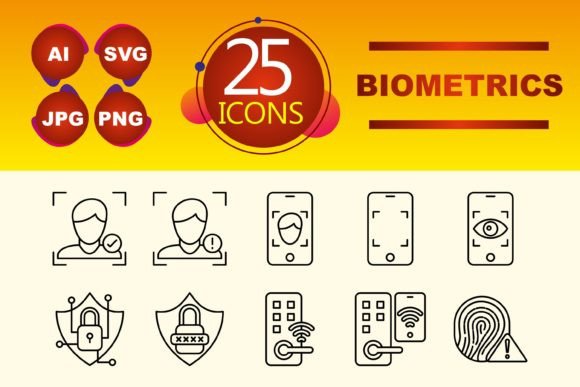
Choosing a pre-designed set, like one offering ten key icons in multiple file formats (AI, JPG, PNG, SVG), provides benefits beyond mere convenience. Consistency is the cornerstone of good design and effective communication. Using varied, mismatched icons for the same concept across different screens creates confusion and feels unprofessional. A cohesive set ensures that every instance of "biometric authentication" is represented by the same visual cue, strengthening your brand's communicative reliability.
From a productivity standpoint, it eliminates the need to source or create individual icons, saving valuable time. The inclusion of SVG files is particularly noteworthy for web and app developers; SVG graphics scale infinitely without losing quality and allow for easy styling via code, meaning you can change their color to match your theme dynamically. The AI (Adobe Illustrator) file grants creative professionals full editorial control to adapt the icons if needed, while the PNG and JPG formats offer ready-to-use assets for presentations and static graphics.
Selecting and Implementing Biometrics Icons
When evaluating an icon set for your project, focus on comprehensiveness and clarity. Does it cover the essential biometric modalities you need to represent? A good set should include icons for fingerprint, face, eye (for iris recognition), and perhaps a hand or key symbol representing the broader concept of biometric security. Examine the design for simplicity and recognizability. A overly detailed icon might lose its meaning when resized for a mobile app footer.
Implementation requires thoughtful placement. Use these icons as supportive visual elements, not as replacements for clear text labels. For instance, a button should read "Login with Face ID" accompanied by the facial recognition icon, not just the icon alone. This combination ensures accessibility and avoids ambiguity. Also, consider the visual weight and color. The line style is excellent because it is inherently lightweight; you can color it to match your accent or action color palette—using a blue for normal states and a red for warning states, for instance, within a security settings panel.
Ultimately, a well-designed biometrics icon set is more than just a collection of graphics. It is a strategic asset for clear communication. It helps users understand and navigate advanced security features with confidence, it allows professionals to explain complex technology with ease, and it enables brands to present themselves as modern and secure. By integrating these precise visual symbols, you bridge the gap between cutting-edge technology and human understanding, making the power of biometrics accessible and intuitive for everyone.