The Visual Language of Hiring: How Recruitment Agency Icons Simplify Communication
In the fast-paced world of talent acquisition, clarity and speed are everything. A Recruitment Agency operates as the crucial bridge between companies seeking the right people and individuals looking for the right role. It's more than just posting job ads; it's about understanding nuanced needs, screening for cultural fit, and negotiating the complex dance of offers and expectations. For everyone involved—from the HR manager drowning in resumes to the freelancer seeking their next project—visual tools that streamline this process are invaluable.
Beyond the Spreadsheet: Icons as Interface Shortcuts
Think about the last time you used a job board, a staffing app, or even a company's internal careers page. The experience is often a wall of text. Recruitment Agency icon sets transform that textual overload into an intuitive visual map. These aren't just decorative graphics; they are functional symbols that guide the user's eye and mind. A simple line icon for "Interview" immediately flags a calendar stage. An icon for "Candidate" personalizes a profile section. This visual shorthand saves cognitive load, allowing users to navigate complex information faster and with less frustration.
For the small business owner building their first hiring portal on their website, dropping a clean "Job Search" SVG icon next to the application button instantly communicates purpose. For the mobile app developer creating a platform for gig workers, using a "Contract Signed" line icon as a status update gives users immediate, universal feedback. The utility spans the digital and physical: these same icons can be pulled into a presentation for a client meeting to visually walk through the recruitment pipeline, or used in an infographic to explain the agency's process to a new hiring manager.
Where These Icons Live and Work
The applications are as diverse as the modern working world itself. Let's walk through a few concrete scenarios.
A marketing agency is redesigning its internal HR dashboard. The developers integrate a set of line icons for "Resume," "Phone Screen," "Offer," and "Onboarding" to represent each candidate's stage. Now, the hiring team can glance at a dashboard and understand the status of twenty different applicants without reading a single label. The visual hierarchy created by the icons makes the data manageable.
An independent career coach building her online course materials needs to illustrate the steps of working with a recruitment agency. She embeds PNG icons of "Networking" and "Skills Assessment" into her slide deck and eBook. The images break up the text, make the concepts more memorable for her students, and lend a professional, cohesive look to her brand.
A freelance UI designer is tasked with creating a prototype for a new recruitment agency's website. Instead of spending hours sketching custom icons, he uses a ready-made set. The consistent line style—with files in AI for scalability and SVG for smooth web implementation—allows him to rapidly mock up the user interface. He demonstrates filter buttons with a "Location" icon and a results page with a "Profile Match" icon, showing the client a clear, functional vision in days, not weeks.
Choosing Your Visual Toolkit: What to Consider
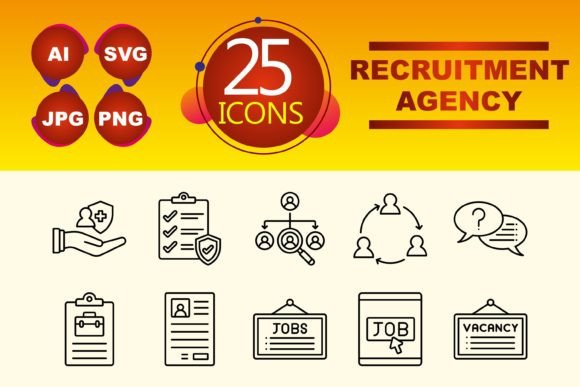
Before downloading or applying any icon set to your project, a few practical considerations will ensure they serve you well. First, assess the style cohesion. The clean, minimalist nature of line icons, as in this Recruitment Agency set, offers versatility. They don't clash with bold brand colors and work across contexts from formal reports to casual app interfaces. Ask yourself if the style aligns with the tone of your platform—is it modern, direct, and efficient?
Next, look at the technical utility. The inclusion of multiple file types (AI, JPG, PNG, SVG) is not just a feature list; it's a passport to different mediums. The AI file allows a graphic designer to tweak the icons for a perfect brand match. The SVG file ensures that on your website, the icons scale perfectly from a desktop monitor to a smartphone screen without losing quality. The PNG and JPG files are your go-to for quick placements in presentations, PDF guides, or social media graphics. You're not just getting pictures; you're getting adaptable assets.
Finally, examine the semantic coverage. Does the set cover the key moments in your specific process? A set with ten focused icons like "Interview," "Candidate," "Search," and "Hiring" hits the core narrative of recruitment. If your workflow involves more niche stages, you might need to supplement. But for most, a concise set like this provides the foundational vocabulary to visually tell the story from vacancy to filled position.
Connecting Icons to Real Outcomes
The benefit isn't in the download; it's in the time saved, the confusion reduced, and the professionalism conveyed. When a blogger writing about career tips uses these icons to break up a long article, the reader's engagement increases. The icons act as visual anchors. When an educator creates a lesson plan on employment pathways, the icons help students visually categorize different job-seeking methods. The abstract concept becomes tangible.
For the recruitment agency itself, using a consistent icon set across its client reports, website, and mobile app creates a strong, recognizable brand language. Clients and candidates alike begin to associate that simple line icon of a "Document" with the agency's resume review service. It builds subconscious trust and clarity. This transforms the icons from mere graphics into integral components of user experience and brand communication.
The digital landscape is visually driven. In the context of recruitment—a process fraught with anxiety for candidates and administrative burden for employers—clean, intuitive symbols cut through the noise. They don't shout; they guide. Whether you're an entrepreneur building your company's hiring toolkit, a creator designing a relevant app template, or a marketer explaining services, these icons provide a common visual language. They help you communicate complex processes not with more words, but with smarter, simpler visuals that get everyone to the same page—and ultimately, the right hire—faster.